Section 1
The 60-second map
Five moving parts. Once you see how they connect, the rest of the guide is just doing each one carefully: Wallet → Fund → Connect → Vet → Trade.
| Phantom | Your wallet — a browser extension + phone app that stores your SOL and tokens and signs every transaction. |
| Jupiter | The main Solana swap aggregator (jup.ag) — finds the best price to swap tokens. Also has its own mobile wallet. |
| Axiom | A fast trading terminal for meme coins — charts, one-click buy/sell, safety settings. You connect Phantom to it. |
| GMGN | Another popular trading terminal — “trenches,” copy-trading, wallet tracking. Same idea as Axiom. |
| DEX Screener | The research tool. Free charts and data for every token — liquidity, volume, age, holders. |
Section 2 · Step 1
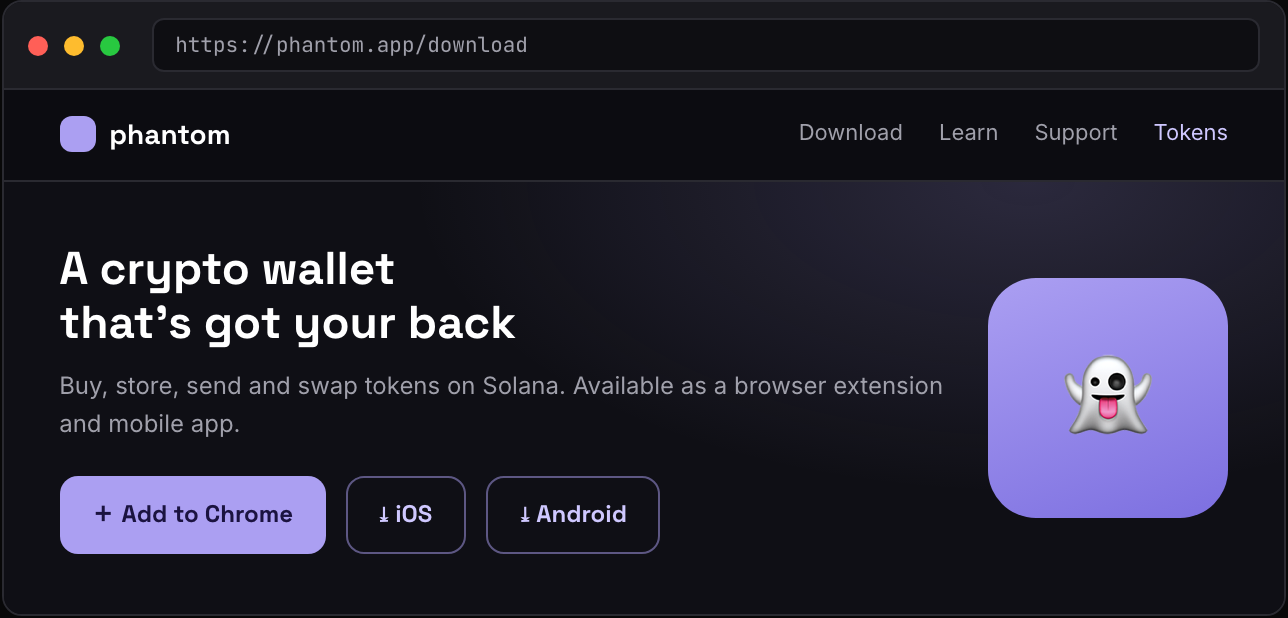
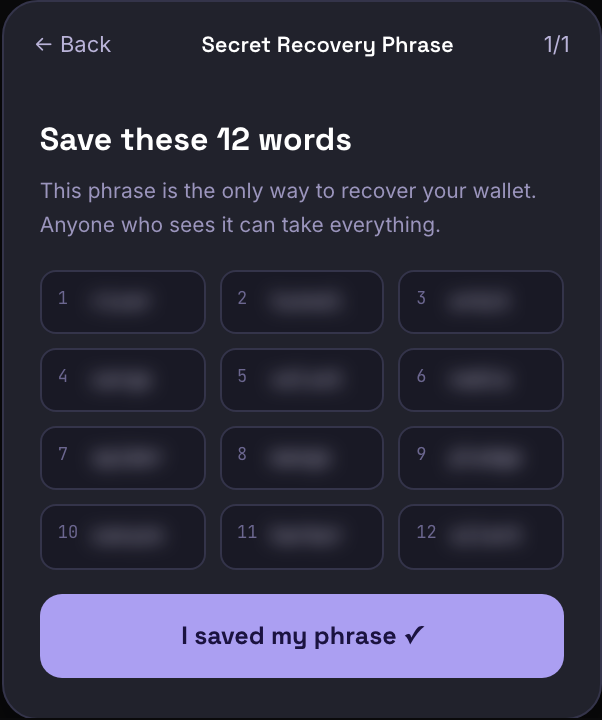
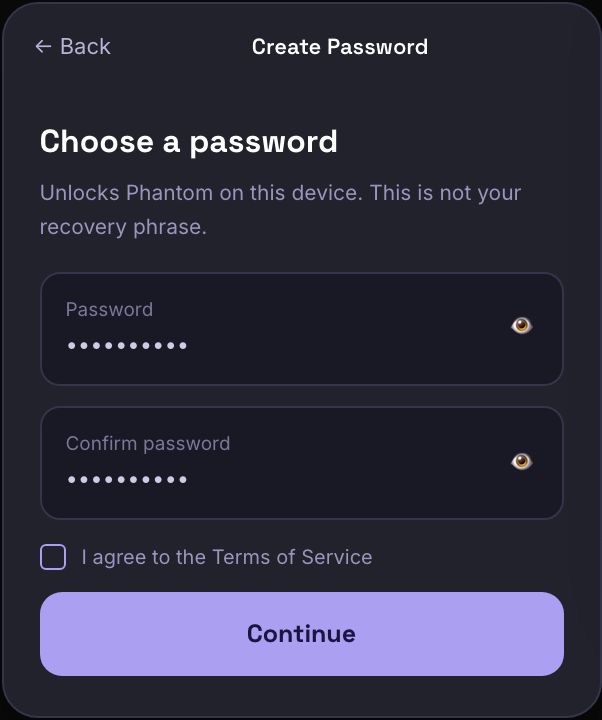
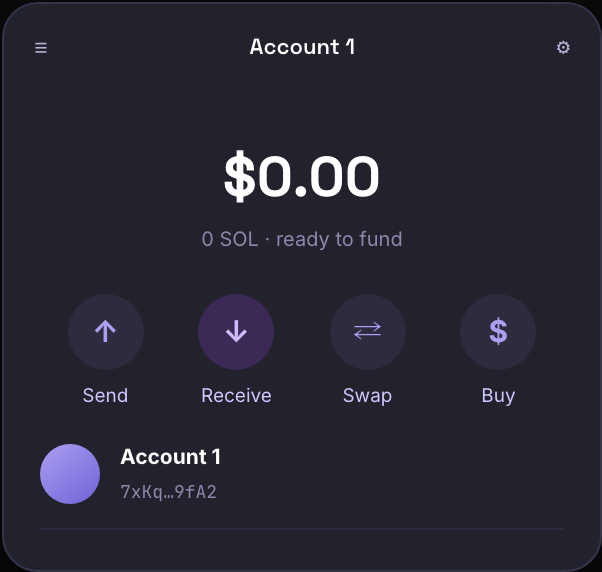
Install & secure Phantom
Your wallet is the foundation. The whole setup takes about 3 minutes.
Confirm & pin
Section 3 · Step 2
Fund your wallet with SOL
You need SOL both as the money you trade with and as “gas” to pay for transactions. Two easy ways:
Option A — Buy SOL inside Phantom (easiest)
Open Phantom → tap Buy → choose SOL. Phantom uses a card / Apple Pay provider to deposit SOL straight into your wallet.
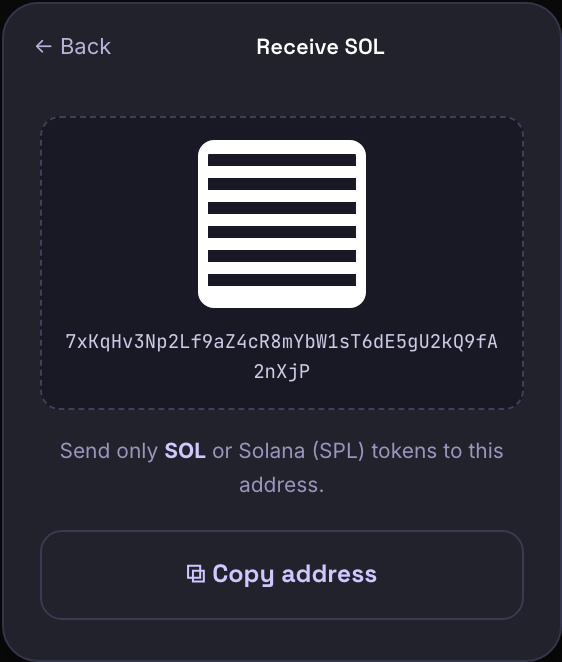
Option B — Send SOL from an exchange (often cheaper)
Section 4 · Step 3
Connect to a trading terminal
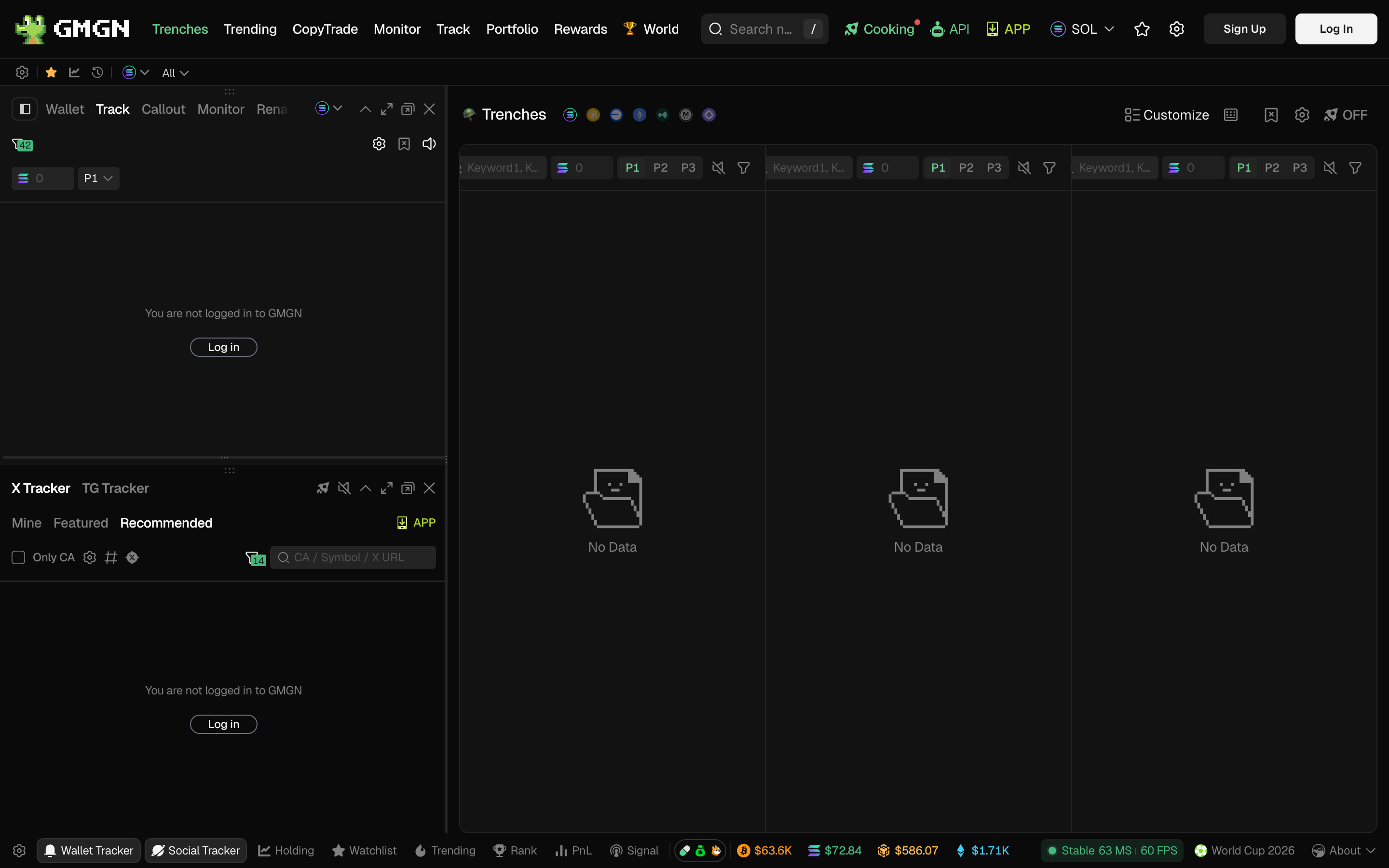
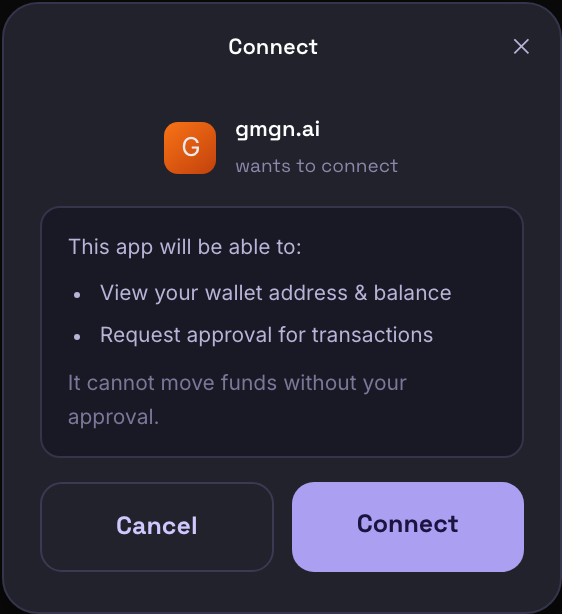
A terminal gives you charts, one-click buys, and safety settings in one place. We'll use GMGN; Axiom works the same way. Pick one.
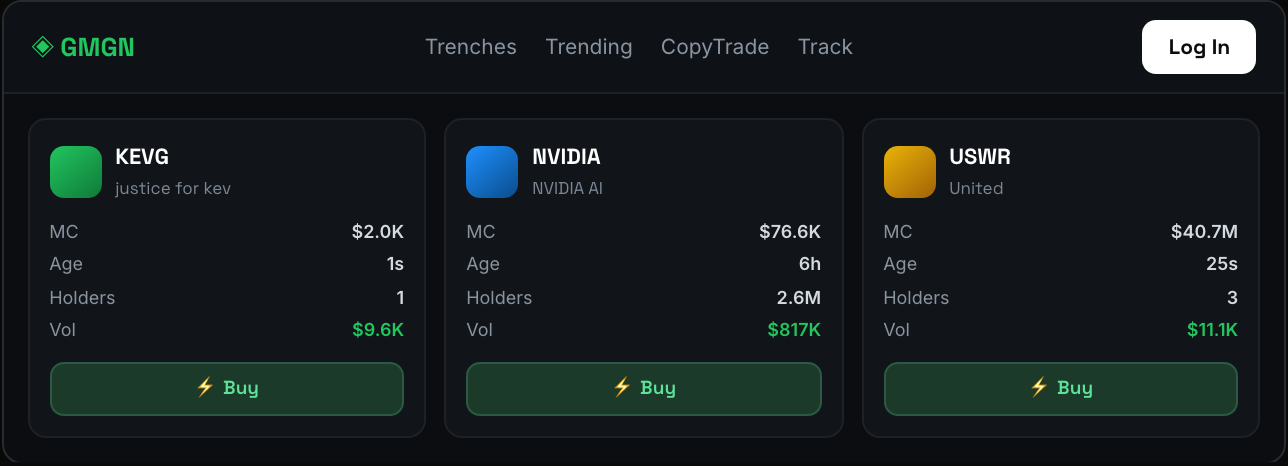
Once connected, the terminal fills with live tokens — each card shows price, market cap, age, and a one-click Buy:
Axiom & your safety settings
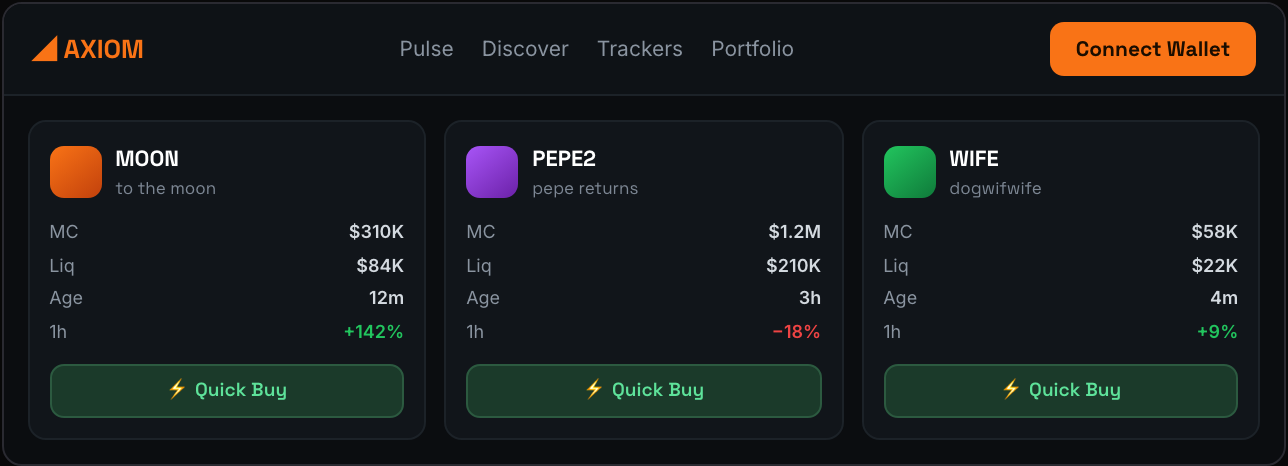
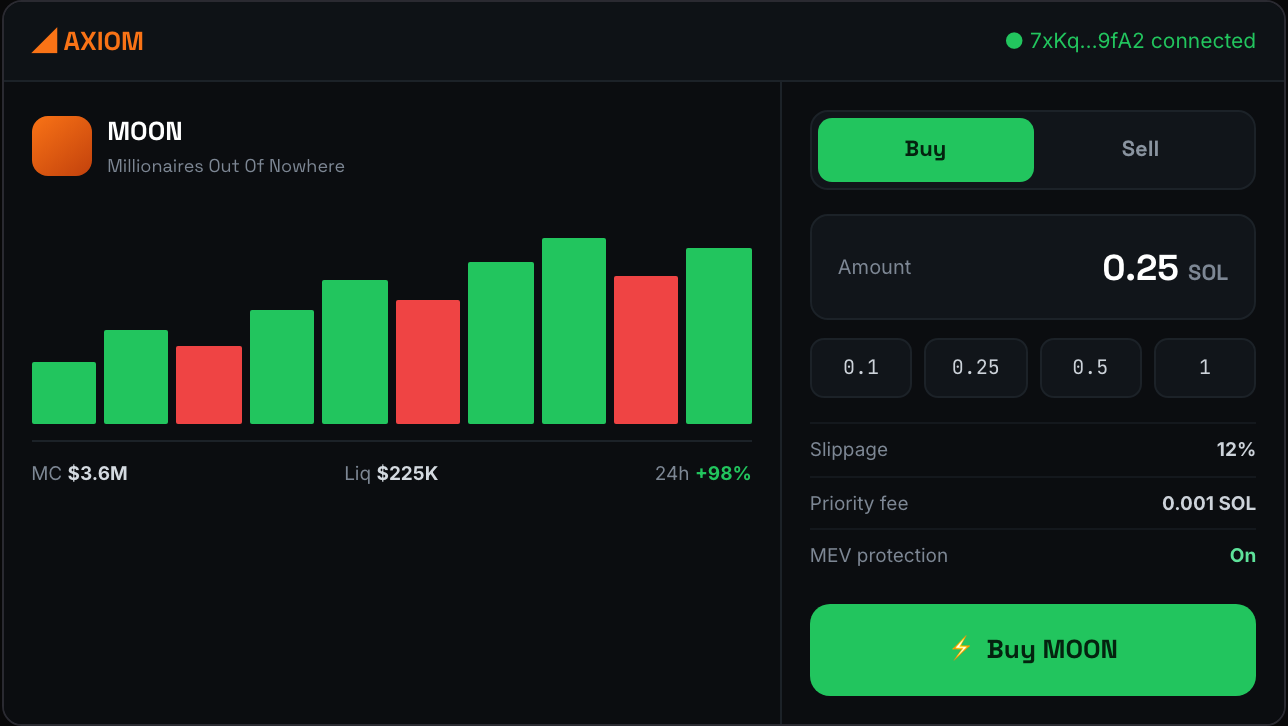
| Slippage | How much price movement you'll tolerate between clicking buy and it filling. Start around 10–15% for new tokens. |
| Priority fee | A small SOL tip that gets your transaction processed faster when the network is busy. |
| MEV protection | Turn this on (“anti-MEV” / “secure” mode). It routes around bots that front-run you. |
Section 5 · Step 4
Vet a token on DEX Screener
This is the step that separates people who lose money fast from people who last. Before buying anything, pull it up on DEX Screener and run the checklist — it takes 30 seconds.
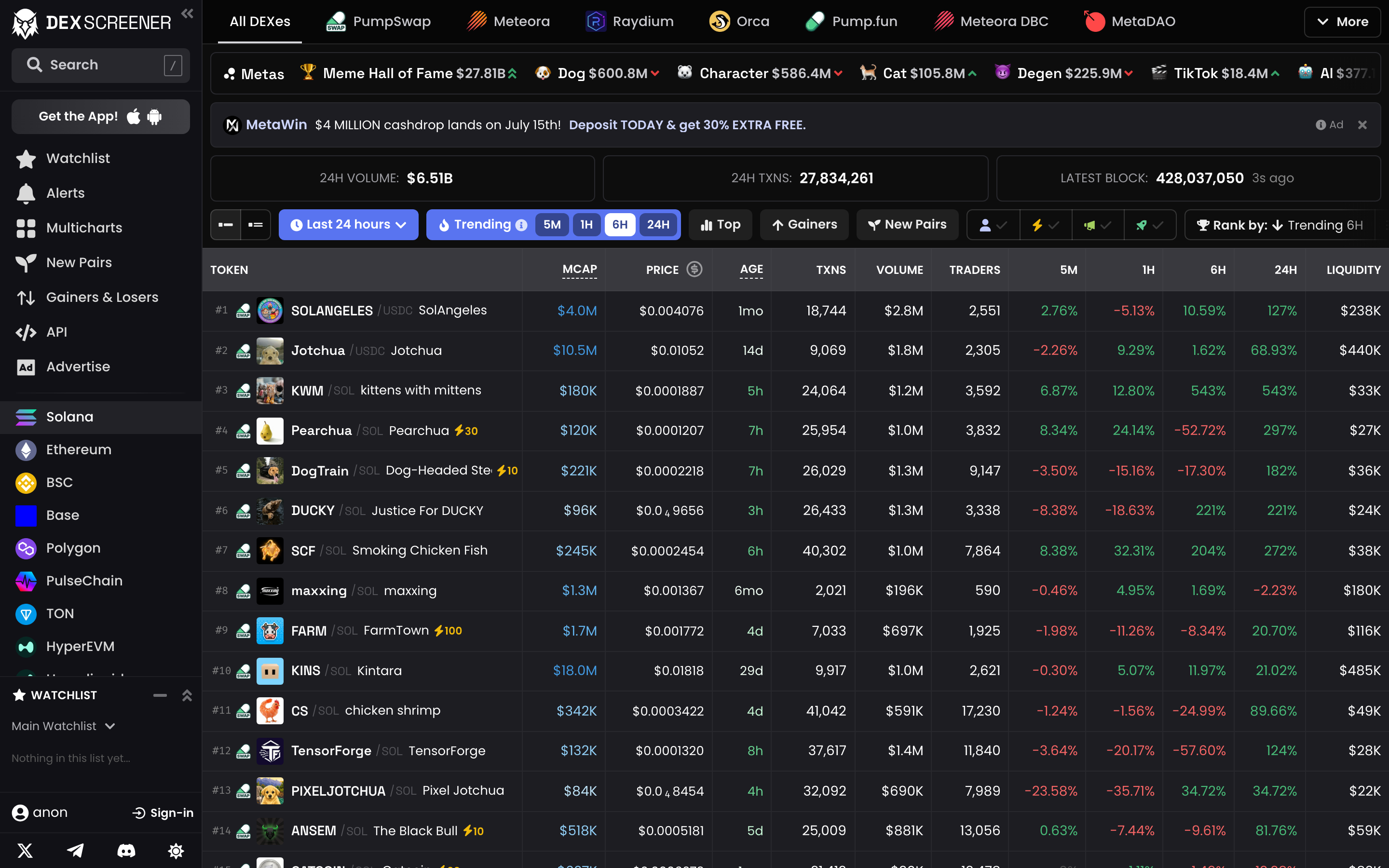
Click any token (or paste its contract address) to open its page — everything you need to judge a token is here.
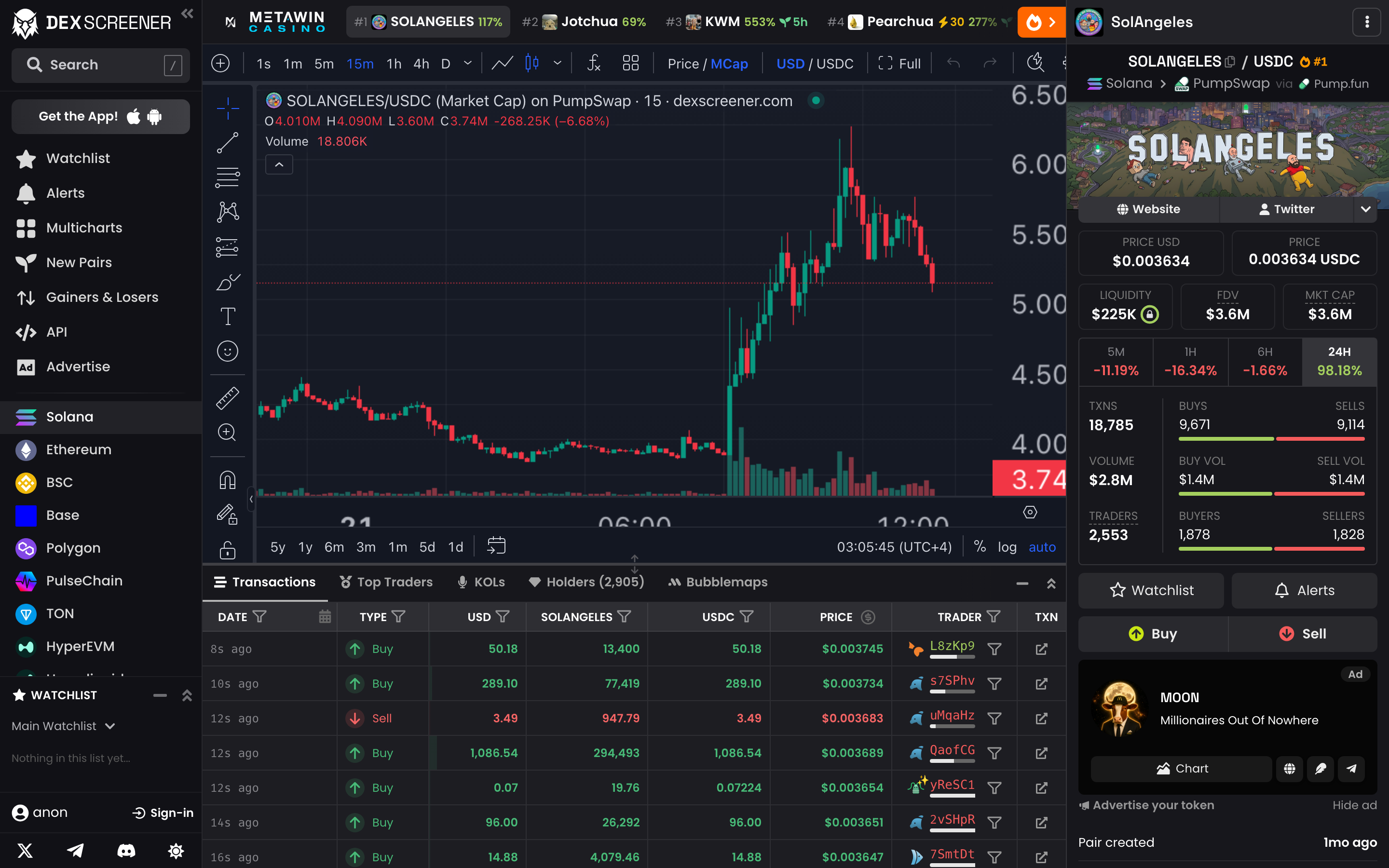
What to actually check
| Liquidity | The money in the pool you trade against. Very low = you can't sell without crashing the price. |
| Volume (24h) | Real, sustained volume = real interest. Volume far larger than liquidity on a new token can be wash trading. |
| MCap vs FDV | A huge gap means lots of tokens could still flood the market and dump on you. |
| Pair age | Minutes old = maximum risk. Older surviving pairs are less likely (not guaranteed) to be instant rugs. |
| Holders | Open the Holders tab. If a few wallets hold most of the supply, they can dump and kill it instantly. |
| Security | Look for mint & freeze authority revoked and LP burned/locked — the dev can't print tokens, freeze yours, or pull liquidity. |
- ✓Liquidity locked or burned
- ✓Mint & freeze authority revoked
- ✓Top 10 holders own a reasonable %
- ✓Steady volume & growing holders
- ✓Real socials (X, Telegram, website)
- ✓Market cap and FDV close together
- ✕Tiny or unlocked liquidity
- ✕One/few wallets hold most supply
- ✕Mint authority still active
- ✕Volume with almost no holders
- ✕No socials, or copied/stolen ones
- ✕Duplicate name/ticker of a real token
Section 6 · Step 5
Place your first trade
Token vetted, wallet connected, settings set. Buying is two clicks — keep your first trade tiny.
Selling & taking profit
- Switch to the Sell tab and choose a percentage (25% / 50% / 100%) of your position.
- Take profit in pieces. A common approach: sell enough to get your original money back once you're up, then let the rest ride risk-free.
- Approve the sell in Phantom — SOL lands back in your wallet in seconds.
Section 7
Trade smarter with AlphaCino
You now own the full mechanics. The last missing piece is the hardest: out of thousands of tokens launching daily, which ones do you even look at? That's what AlphaCino solves — it's the signal source at the front of everything above.
Use case 1 — The Alpha Calls feed
AlphaCino watches the top Solana alpha groups and puts every call into one live feed — token, market cap, volume, age, and which group called it. Instead of sitting in 30 Telegram channels, you read one screen.
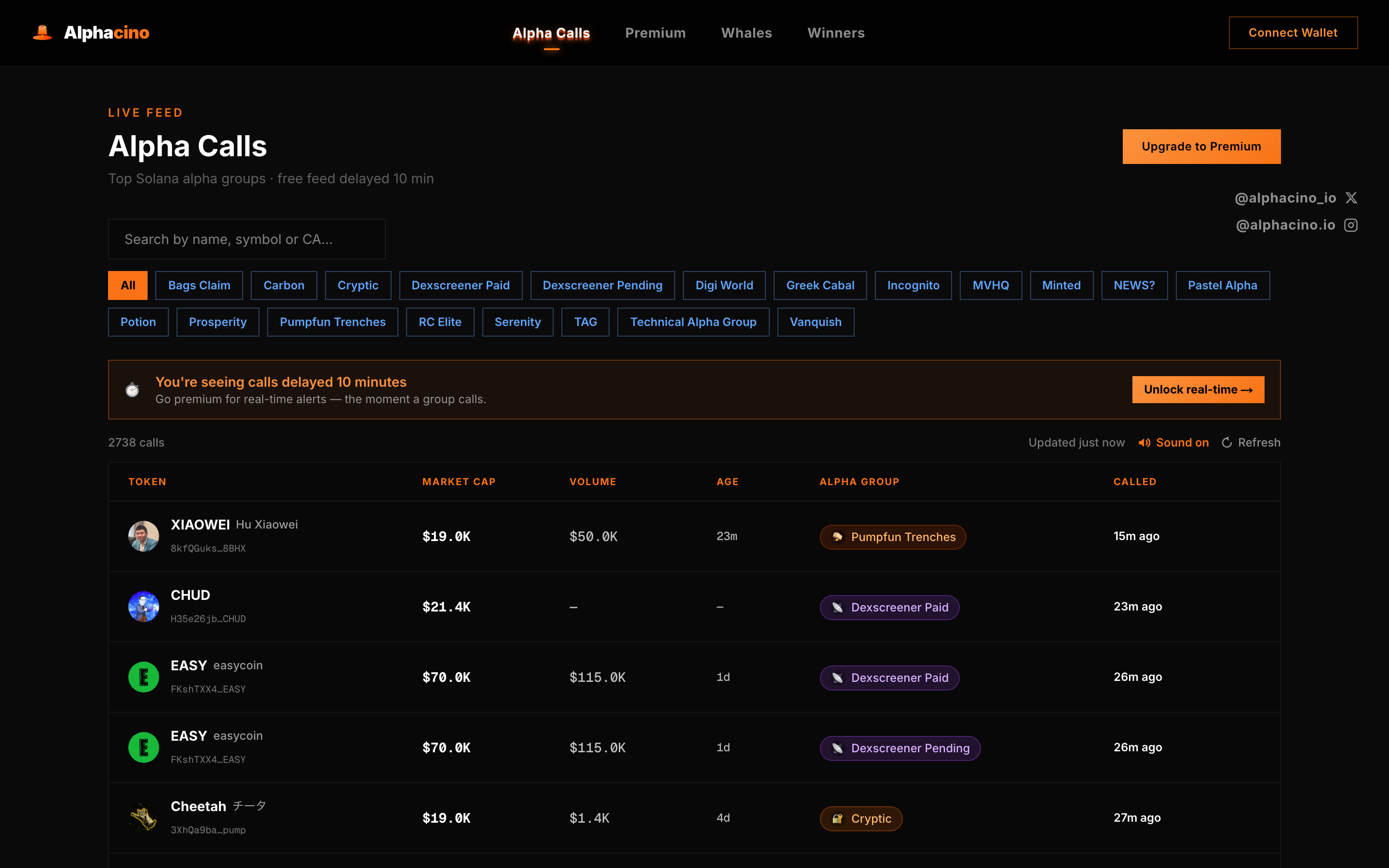
- Spot consensus fast: several respected groups calling the same token in a short window is a stronger signal than any single call.
- Copy the CA straight into DEX Screener to vet it, then into Axiom/GMGN to trade.
- Filter by the groups you trust so the feed matches your style.
Use case 2 — Follow the smart money
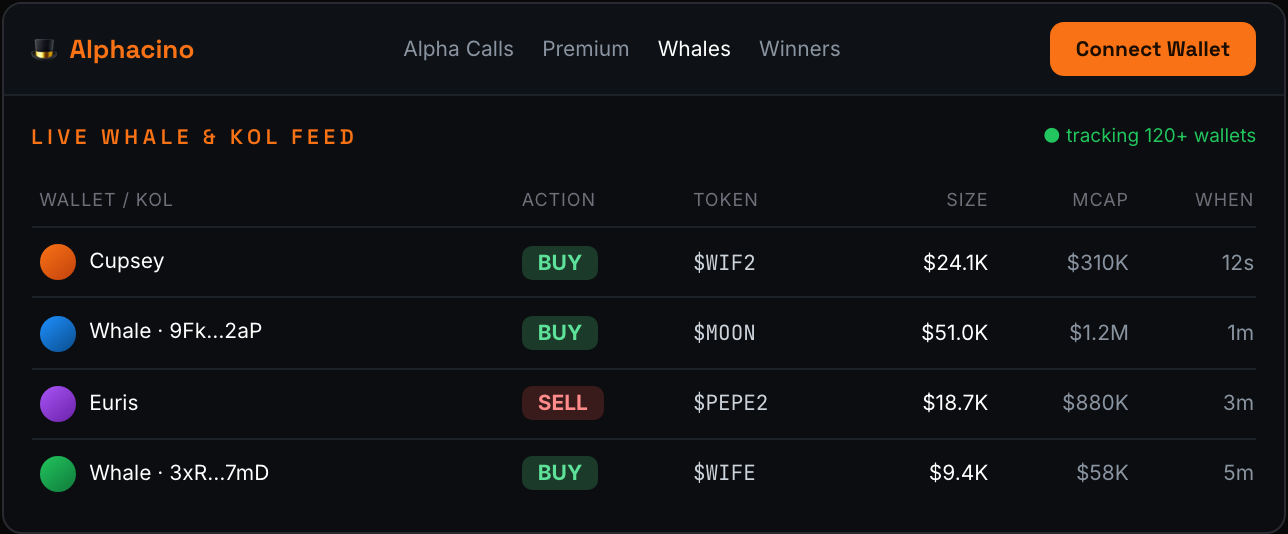
Prices move when big, proven wallets (“whales”) and well-known callers (KOLs) buy. AlphaCino's tracker watches those wallets on-chain and shows their buys/sells the moment they happen.
Use case 3 — Premium: the same calls, in real time
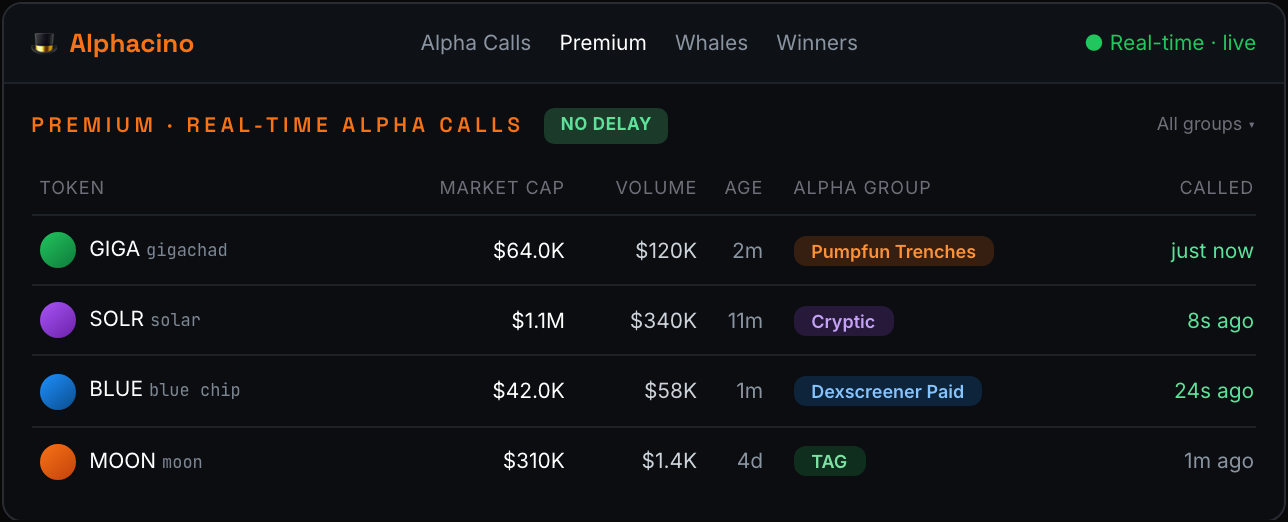
Premium is the Alpha Calls feed with the 10-minute delay removed — you see every group's call the instant it fires. In fast meme-coin markets those ten minutes are often the entire move.
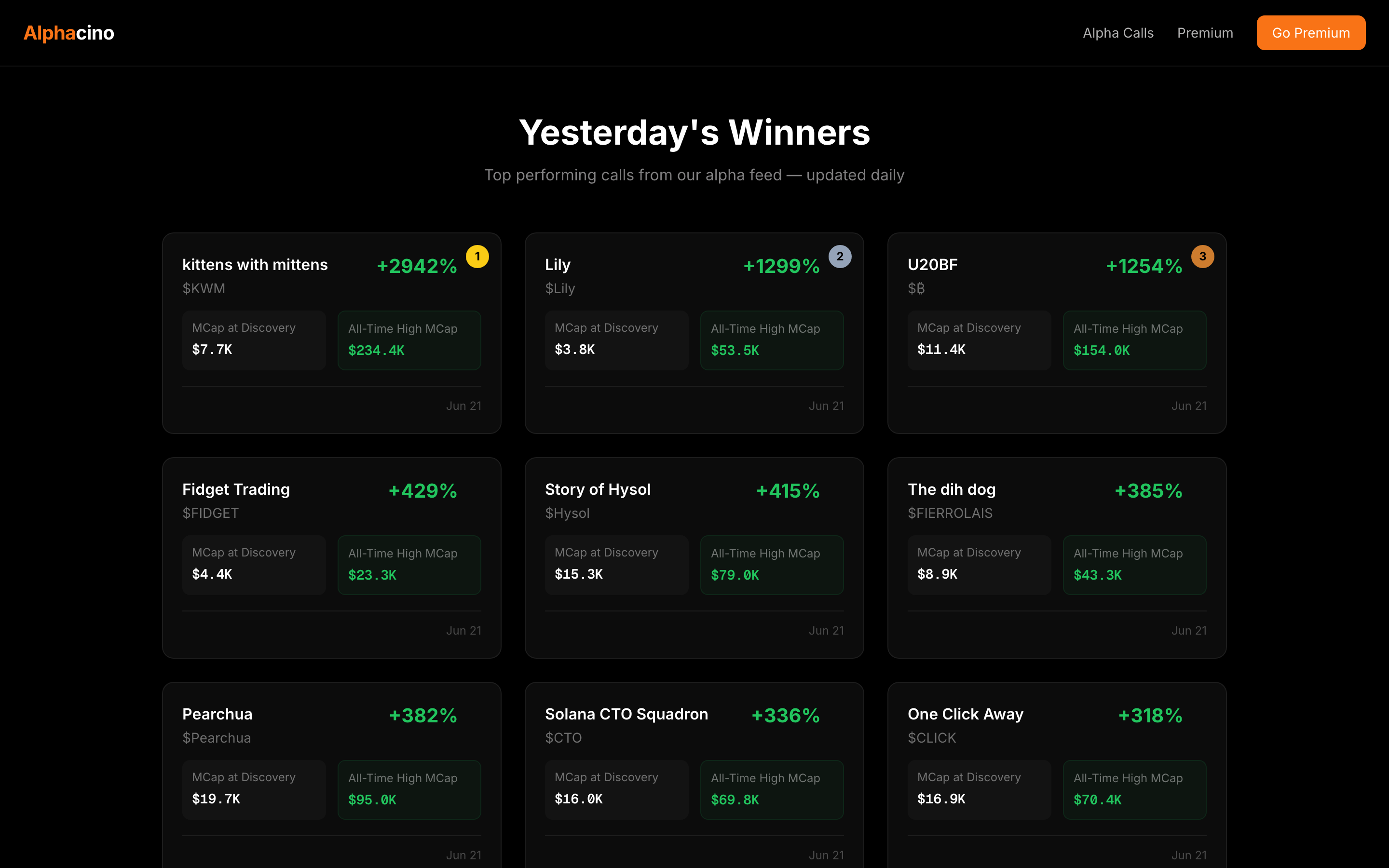
Track record & how to use it well
Section 8
Risk management & scam avoidance
The traders who survive aren't the ones who pick the most winners — they're the ones who don't get wiped out by one bad trade or one scam.
Protect your money
- Position sizing: risk a small, fixed amount per trade. Never all-in.
- Take profits on the way up. Gains aren't real until you sell.
- Decide your exit before you buy — target and acceptable loss.
- Keep gas SOL spare so you can always sell.
- Don't revenge trade. After a loss, step away.
Protect your wallet
- Never share your 12 words. No exceptions, ever.
- Use a fresh “burner” wallet for trenches trading.
- Type/bookmark real URLs. Avoid ads and DM links.
- Verify the contract address every time.
- Be skeptical of giveaways, “support,” and urgency.
Common traps
| Rug pull | Dev removes liquidity (or dumps their bag) and the price goes to zero. Defend by checking locked LP and holder distribution. |
| Honeypot | A token you can buy but can't sell. Often lots of buys, almost no sells. Vet first. |
| Fake token | Same name/ticker/logo as a real coin, different contract. Always match the CA. |
| Drainer link | A malicious site that asks you to approve a transaction that empties your wallet. Reject anything wanting blanket token access. |
Section 9
Glossary
The words you'll see everywhere, in plain English.
| SOL | Solana's native coin. Used to buy tokens and to pay transaction fees (gas). |
| Gas | The small fee (paid in SOL) for each transaction on the network. |
| CA | Contract Address — the unique ID of a token. The only reliable way to identify the real one. |
| Liquidity | Money in the trading pool. More = easier to buy and sell without moving price. |
| MCap | Market Cap — price × circulating supply. Rough size of the token. |
| FDV | Fully Diluted Valuation — value if every token existed. A big gap vs MCap is a warning. |
| Slippage | Allowed price movement between clicking buy and it filling. |
| LP | Liquidity Pool / LP tokens. “LP burned/locked” means the dev can't pull liquidity. |
| Rug pull | Dev removes liquidity or dumps; price collapses to ~zero. |
| Honeypot | A token you can buy but not sell. |
| MEV | Bots that front-run trades. “MEV protection” routes around them. |
| Trenches | Slang for trading brand-new, just-launched tokens — highest risk, highest noise. |
| ATH | All-Time High — the highest price a token has reached. |
This guide is educational only and not financial advice. Crypto and meme coins are extremely high risk — only ever trade what you can afford to lose entirely. Once you're set up, head to the Alpha Calls feed to see what the top Solana groups are calling.
↓ Download this guide as a PDF